Guide
How to collect addresses for your birth announcements
You have a phone number for almost everyone and a postal address for almost nobody. That only becomes a problem once the birth announcements are ready to order: your grandmother you know by heart, but where do your partner's university friends live now, and did the old neighbours ever move?
Most parents send somewhere between 50 and 150 cards. Asking for those addresses one message at a time is three evenings of work: you ask the same question eighty times, you get eighty differently formatted answers back, and then you copy all of them into a list by hand. With a few postcodes that turn out to be wrong.
There is a calmer way to do it. Below: when to start, how many addresses you actually need, how to collect them in one go, and what to do with the list afterwards.
When should you start?
During the pregnancy, not after. Once the baby is here you want the card to need nothing but a name and a date. In that first week home there is very little room in your head for chasing addresses, and that is exactly when people want the card to arrive.
| When | What you do |
|---|---|
| Around week 28 | Choose the card and the printer, so you know how many you need |
| Around week 30 | Create your address book and share the link |
| Around week 34 | Send a reminder to whoever has not filled it in |
| Around week 36 | Buy envelopes, stamps and labels. You can address the envelopes now |
| After the birth | Add the name and date, print, and post them |
There is no such thing as starting too early. If someone moves in the meantime they simply update their own address, and your address book shows you when each one was last changed.
How many addresses do you need?
Most parents land between 50 and 150 cards. You send one per household, not one per person: grandma and grandpa get one card between them. Walk through these groups and you will not forget anyone:
- Close family: parents, brothers and sisters, grandparents, aunts and uncles
- Your friends and your partner's friends: those two lists overlap less than you would think
- Neighbours and the people on your street
- Colleagues, or one envelope to the office for the whole team
- The people around the pregnancy: your midwife or OB, your doula, your antenatal class
- Old classmates, your former club, and friends abroad
Tip: order ten to twenty cards more than your list. Someone you forgot always turns up, and you will want one to keep for the baby book. Reordering a small batch costs far more than printing a few extra now.
Four ways to get the addresses in
There is no single right method. These are the four you see in practice, with what each one really costs you:
| Method | What works | What does not |
|---|---|---|
| Messaging everyone individually | It always works, and it is personal | Eighty conversations, eighty formats, and you retype every one of them |
| Asking in a group chat | One message reaches everyone at once | Addresses get buried between the replies, and not everyone wants theirs in a group |
| Building a form or spreadsheet | Everything arrives in one tidy list | You build and maintain it, and nobody can correct their own address later |
| Sharing a Mailbook link | One link, everyone fills in their own, the list is right immediately | You have to create an address book first |
How it works with Mailbook
Mailbook is free and built for exactly this moment. You create an address book, you get one personal link, and you send that link around. Everyone who opens it fills in their own address: you type nothing.
- Create your address book. When you sign up you pick the new baby theme and write your own title, so friends and family see straight away why you are asking. For example: "Lisa and Jan are expecting. Leave your address for the birth announcement".
- Share the link. Your link sits at the top of the site, with buttons to send it straight over WhatsApp or email. You and your partner share the same link, so you can simply split the list between you.
- Everyone fills in their own address. Only a name and a city are required, the rest is optional. They can say how they want to be addressed ("The Carter Family" rather than two separate names), and they get a one-off confirmation email they can use to fix a typo later.
- Keep track. You can add labels (Family, Friends, Neighbours, Work) and sort by surname, city or by when an address came in. That makes it easy to see who is still missing.
- Export or order labels. Once the list is complete you download it as an Excel or CSV file, or have the addresses printed on labels and posted to you.
This is what your address book looks like as the addresses come in: search as you type, sort, and add labels.
Want to see what your friends and family get? Have a look at our example invitation.
What do you write in the message?
It makes a difference whether you are asking your aunt or your former colleagues. These three you can copy and adjust:
Always say what the address is for and how long filling it in takes. Then people do it right away instead of "in a minute".
And the ones who never reply?
There is always a tail end. This is how you deal with it:
- Send a reminder after a week, but in a personal message rather than in the group.
- Ask your parents and parents-in-law for the family addresses. They often still have them written down somewhere.
- Put the link in your Instagram bio or your WhatsApp status. There are always people you would not message individually but would happily send a card.
- Someone who keeps forgetting? Ask for the street and postcode and add the address yourself. That is perfectly fine.
From address list to envelope
Once the addresses are in, they still have to get onto the envelope. There are four routes:
- Let your card printer do it. Many card companies print the address straight onto the envelope. You download your addresses as an Excel or CSV file and upload that with your order.
- Print the labels yourself. Buy label sheets, download the file from Mailbook and print them at home. Cheapest, and you can still add someone at the last minute.
- Order the labels from us. We print your addresses on labels and post them to you, from €20, or $22 in the US. Orders usually go out the next working day.
- Write them by hand. With decent handwriting this is still the nicest option. Allow an hour or two, and do it before the birth, because the card only goes in later.
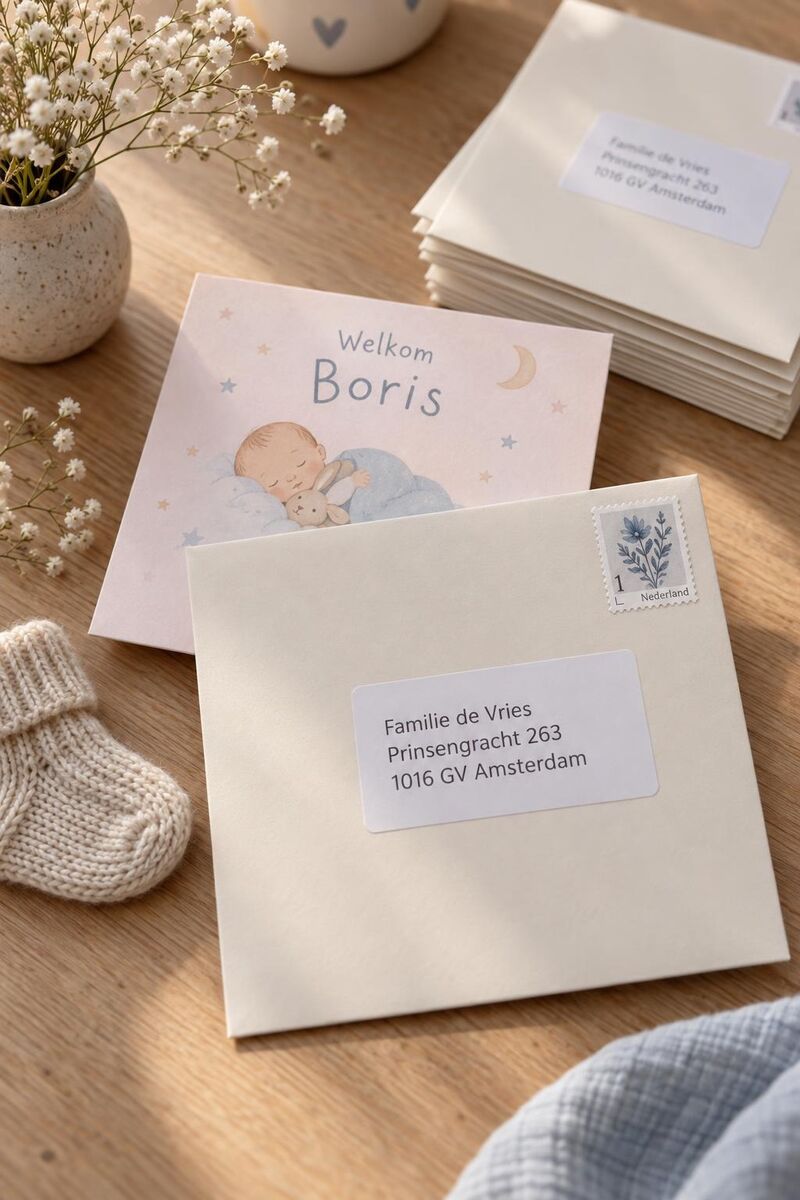
If you go with our labels, you decide how they look: four papers (white, transparent, textured and gold) and you set the typeface, the ink and the address spacing, optionally with a border or an icon. Try it below, it already opens on new baby:

Is this safe for your family's addresses?
Fair question, because you are not giving away your own address but your whole family's. The addresses only ever end up in your address book. We never share them with third parties and we do not sell them. Anyone who fills in their address gets a one-off confirmation email and can change or delete it themselves, without going through you.
The address book is free and stays free. We make our money selling address labels to whoever wants them, and nothing else. How we handle data is set out in our terms and privacy policy.
Getting started
Expecting? Create your address book now and the list will be waiting before you need it. It takes a minute and it is free. More than 100,000 address books came before yours. Want to see the rest of Mailbook first, read this overview.